
Introduction
Arceus X is one of the oldest names in mobile Roblox scripting. Developed by the SPDM team, it has been passed around Android and iOS players since long before most of today’s mobile executors existed, and its current Neo line is what most people mean when they talk about Arceus X in 2026. If your scripting happens on a phone or tablet rather than a PC, this is one of the first tools you will hear about — and one of the few mobile executors with a track record stretching back years.
That history cuts both ways. Arceus X packs in a lot: a script executor, a built-in script hub, an FPS unlocker, and a set of built-in gameplay tweaks. But it also carries a key system that many users find fiddly, and an interface that can feel crowded the first time you open it. This guide covers what Arceus X does, how to install it on Android and iOS, how the key process works, and what to watch out for.
The same warning applies here as with every executor: using one breaks Roblox’s Terms of Service and can get your account suspended or permanently banned. No executor is undetectable, and no guide can promise your account will survive. If you experiment, do it on a spare account, and get the software only from its official source.
What Is Arceus X Executor
Arceus X is a mobile Roblox script executor built by the SPDM team. In plain terms, it is a modified way of running Roblox on your phone that lets you load Lua scripts while a game is running. Those scripts can automate repetitive grinding, add on-screen helpers, change movement options, or open a menu of extra features inside the game.
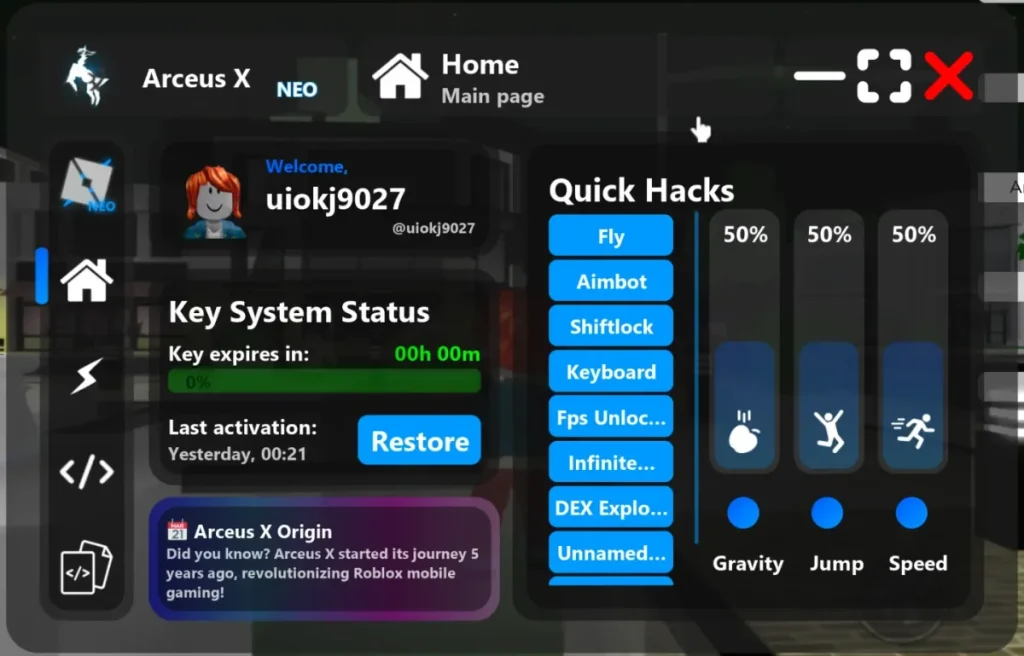
Over the years Arceus X has gone through several generations, and the current one is branded Arceus X Neo. Neo adds a built-in script hub for browsing community scripts, an FPS unlocker for smoother play on capable devices, and a community area — on top of the core executor itself. Alongside the executor, Arceus X has long shipped a set of built-in tweaks (things like infinite jump, fly-style movement options, and speed adjustments) that work without loading any outside script at all.
As with any executor, there is a hard limit to what it can do: it only affects what happens on your device. It cannot change server-side values, so it will not add currency to your account or unlock paid content on Roblox’s servers. Any script or site promising that is a scam.
Why Choose Arceus X Executor — and the Honest Safety Picture
People stick with Arceus X for a few solid reasons. It is genuinely mobile-first, built for phones rather than adapted from a PC tool. It is free. It has been maintained across many Roblox updates, which matters because an executor that goes stale after a patch is useless. And its built-in hub and tweaks mean a new user can get something working without first learning where scripts live on the internet.
The honest safety picture is less comfortable. First, Arceus X’s popularity makes it one of the most impersonated executors on the web — fake sites and repackaged downloads carrying malware are everywhere, and downloading from the wrong place is the biggest real-world risk in this process. Second, the account risk is permanent background noise: Roblox’s anti-cheat detects injected code, and detection improves over time, so there is no safe way to run scripts on an account you care about. Third, the key process itself deserves caution: it routes you through third-party verification steps, and you should never enter your Roblox password, or any account credential, on a key page. A legitimate key flow does not need your login.
On antivirus warnings: mobile security apps may flag executor files, because injecting code into another app is exactly the kind of behaviour they watch for. Treat a flag as a reason to double-check your source, not as something to wave away — and never disable your device’s protections wholesale to force an install through.
How to Download Arceus X Executor
The steps below describe the process once you reach the official source (arceusx.net / the SPDM team’s official channels).
For Android
- Visit the official Arceus X website from your phone’s browser.
- Choose the Android build to get the APK file.
- Wait for the download to finish and note where the file was saved.
- If your browser warns about the file, stop and confirm you are on the genuine official site before continuing.
For iOS
- Visit the official Arceus X website from your iPhone or iPad.
- Choose the iOS build and follow the installation method shown on the official site — iOS installs for executors typically involve a profile or a sideloading step rather than the App Store, since Apple does not list executors.
- Read each permission prompt carefully during setup and grant only what the install genuinely needs.
How to Install Arceus X Executor
On Android
- Open the downloaded APK file and confirm the installation prompt.
- If Android blocks the install, enable “Install unknown apps” for your browser only, then retry — you can switch that permission back off afterwards.
- Open Arceus X once installed and let it complete any first-run setup.
On iOS
- Follow the official site’s iOS installation steps in order, including any profile trust step it asks for in your device settings.
- If iOS refuses to open the app, check Settings for an untrusted developer or profile entry and verify it matches the official install before trusting it.
- If the install method stops working after an iOS update, check the official channels for a revised method rather than grabbing a build from a random mirror.
How to Use Arceus X Executor / Execute Scripts
- Make sure Roblox is installed and updated on the same device.
- Open Arceus X and complete the key step (see below) before trying to run anything.
- Launch Roblox through Arceus X, or attach Arceus X to the running game, following the on-screen flow for your device.
- Join the game you want to play, then open the Arceus X menu inside the game.
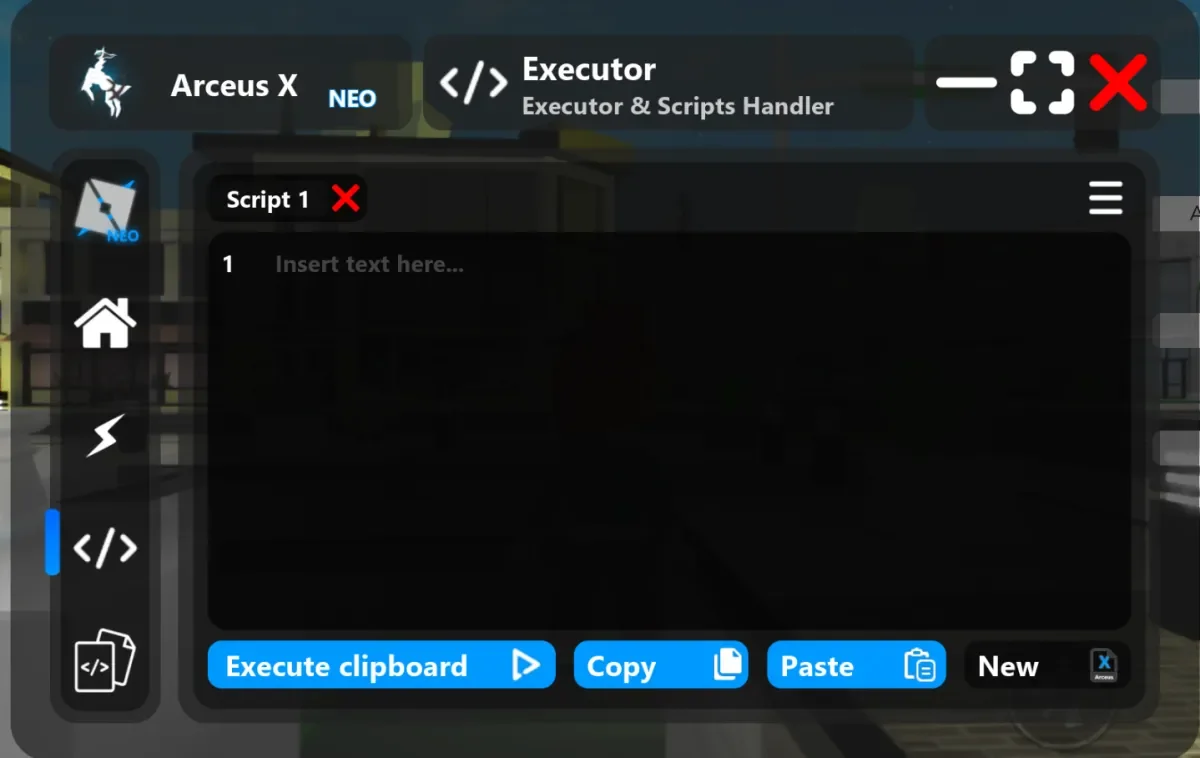
- Paste a script into the executor window, or pick one from the built-in script hub.
- Press the execute option and look for the script’s own menu or confirmation inside the game.
- If nothing happens, confirm the key is still valid, check that the script is maintained for the current game version, and re-attach before trying again.
Do not paste in scripts you have not at least skimmed, and never type your Roblox password into a script window, a key page, or any pop-up a script opens. Real scripts do not ask for your credentials.
How to Get the Arceus X Key
Arceus X’s free Neo tier uses a key system, and the key lasts 24 hours before it must be renewed. A paid keyless tier is also reported. The key flow has changed across versions and is described by users as a multi-step process, so expect several verification steps rather than a single click.
- Install Arceus X, then open it and look for the Get Key option.
- Tap it — you will be taken to the key provider’s pages.
- Work through each verification step in order, without skipping, until the key is shown.
- Copy the key exactly as displayed.
- Return to Arceus X, paste the key in, and confirm.
- Once the key is accepted, you can launch games and run scripts until the key expires, at which point you repeat the process.
If the key flow stalls, loops, or asks you to install unrelated apps you do not trust, stop and restart the flow from the official source — and never enter account credentials on a key page. Keys are time-sensitive, so paste a fresh key in promptly rather than leaving it for later.
Features
- Free mobile execution — the core executor costs nothing on Android and iOS.
- Arceus X Neo line — the current generation, with a built-in script hub and community area.
- Built-in script hub — browse and load community scripts without leaving the app.
- FPS unlocker — option for smoother frame rates on devices that can handle it.
- Built-in gameplay tweaks — options like movement adjustments and jump tweaks without loading an outside script.
- Wide game coverage — used across many popular Roblox titles, from fruit-grinding games to simulators.
- Long maintenance history — a track record of updates across many Roblox patches, from a team (SPDM) that has been in this space for years.
- No root or jailbreak required for the standard install — works on ordinary devices.
What’s New in Latest Version
The latest version number could not be verified from a reliable official source at the time of writing — reported numbers conflict across sources, including different figures for the Neo line — so no specific version or changelog claims are made here. In general terms, recent Arceus X development has centred on the Neo generation and on keeping pace with Roblox client updates, but the owner should update this section once an official changelog is confirmed.
System Requirements
| Platform | OS | Processor | RAM | Storage | Root / Jailbreak |
|---|---|---|---|---|---|
| Android | No root required | ||||
| iOS |
Notes: specific processor, RAM, and storage figures could not be verified from a reliable source, so those cells are left blank rather than guessed. A stable internet connection, the latest version of Roblox, and a device capable of running Roblox itself are required in practice. The owner should fill verified figures in from official documentation when available.
Arceus X Executor vs Other Executors
| Feature | Arceus X Executor | Fluxus Executor | Delta Executor | Hydrogen Executor |
|---|---|---|---|---|
| Platforms | Android, iOS | Windows, Android, Linux | Android, iOS, PC | Android, macOS |
| Price | Free (optional paid keyless tier) | Free (optional paid keyless tier) | Free | Free |
| Key System | Key Required (24-hour key) | Key Required (24-hour key) | Key Required | Key Required |
| Ease of Use | Moderate | Beginner Friendly | Beginner Friendly | Beginner Friendly |
| Script Collection | Built in | Built in | Built in | Built in |
| Mobile-first design | Yes | No (desktop + mobile) | Yes | Yes |
Comparison notes: Arceus X is the pick if you want a long-established mobile executor with built-in tweaks and a script hub. Fluxus is the better cross-platform choice if you also play on PC or Linux, Delta is the alternative if you want iOS plus a PC build, and Hydrogen suits macOS users. None of them removes the account risk that comes with using any executor.
See all options on the All Executor page.
Pros and Cons
| Pros | Cons |
|---|---|
| Long-established mobile executor from a known team (SPDM) | Key process is multi-step and widely described as fiddly |
| Free, with an optional paid keyless tier | Free key expires every 24 hours |
| Built-in script hub, FPS unlocker, and gameplay tweaks | Interface can feel crowded for first-time users |
| Works on Android and iOS without root/jailbreak for standard installs | Fake download sites impersonating Arceus X are extremely common |
| Maintained across many Roblox updates | iOS installation is more involved than a normal App Store install |
| Good fit for phone-first players | Using it can get your Roblox account banned |
Common Problems & Fixes
| Problem | Fix |
|---|---|
| Key page loops or never shows a key | Restart the flow from the official source, try a different browser, disable ad blockers for the key page, and complete every step without skipping |
| “Key expired” message | Keys last 24 hours — generate a fresh key and paste it in promptly |
| Arceus X will not attach to the game | Make sure Roblox is launched through Arceus X (or attached as shown on screen), update both apps, then re-attach |
| Scripts run but do nothing | The script may be outdated for the current game version — try a recently updated script and confirm the key is still valid |
| App crashes on launch | Reinstall the latest build from the official source, close background apps, and make sure your device runs Roblox itself smoothly |
| iOS install fails or the app will not open | Check the profile/developer trust step in Settings, verify it matches the official install, and check official channels for a revised method after iOS updates |
| Roblox updated and Arceus X stopped working | Wait for an Arceus X compatibility update; an old build against a new Roblox client is the most common cause of breakage |
Final Verdict
Arceus X remains a serious option for mobile players, and its longevity counts for something in a scene where executors appear and vanish constantly. The Neo generation’s built-in hub, FPS unlocker, and extra tweaks give phone players a lot without needing a PC, and the free tier means trying it costs nothing but time.
The downsides are equally clear: the key process is the most complained-about part of the experience, the interface takes a little learning, and iOS setup is more work than a normal install. If you play mainly on a phone, can tolerate the daily key renewal, and are careful about downloading only from the official source, Arceus X is a strong mobile choice. If you want the simplest possible first experience, Fluxus or Delta may feel smoother — and whichever you pick, keep it on a spare account.
Rating
Rating: 4.8 (95976 ratings)
FAQ
Q: Is Arceus X Executor free?
A: Yes, the core executor is free. A paid keyless tier is also reported for users who want to skip the daily key process.
Q: What is Arceus X Neo?
A: Neo is the current generation of Arceus X. It adds a built-in script hub, an FPS unlocker, and a community area on top of the core script executor.
Q: Does Arceus X work on PC?
A: Arceus X is established as a mobile executor for Android and iOS. Some guides mention desktop options, but those claims are inconsistent, so this guide does not present a native PC build as verified. Mobile players are its core audience.
Q: How long does the Arceus X key last?
A: The free Neo key lasts 24 hours. After it expires, you repeat the key process to get a new one.
Q: Can my Roblox account be banned for using Arceus X?
A: Yes. Using any executor breaks Roblox’s Terms of Service, and detection can lead to suspension or a permanent ban. No executor is undetectable, so use a spare account if you choose to run scripts.
Q: Why does the key process take so many steps?
A: The free key is supported by a third-party verification flow, which is why it involves several pages rather than a single click. If a key page ever asks for your Roblox password or other account credentials, stop — a legitimate key flow does not need them.
Additional Details
- Description: Arceus X Executor (Neo) is a free mobile Roblox script executor for Android and iOS by the SPDM team, with a built-in script hub, FPS unlocker, gameplay tweaks, and a 24-hour key system on its free tier.
- Price: 0 USD (free tier; optional paid keyless tier reported)
Internal links: Fluxus Executor · Xeno Executor · Delta Executor · Hydrogen Executor · Wave Executor · Solara Executor · Ronix Executor · Cryptic Executor · Skibx Executor · Macsploit Executor · Bloxstrap · Multiple Roblox · All Executor