

Introduction
Blox Fruits is one of the longest-running grind-heavy games on Roblox. Inspired by a famous pirate anime, it drops you on a chain of islands spread across several seas, hands you a sword and a dream, and then asks for hundreds of hours of fighting, questing and sailing before you reach the strongest content. That slow climb is exactly why Blox Fruits scripts are searched for so often: they automate the repetitive parts of the game so progress that would take weeks of manual play can happen much faster.
This guide explains what Blox Fruits scripts actually do, which features players look for, how they are generally used with an executor, and — just as importantly — what can go wrong. Nothing here is a promise that a script is safe or will keep working. Roblox patches break scripts regularly, and using one always carries account risk. If you read only one section, read the safety notes before you run anything.
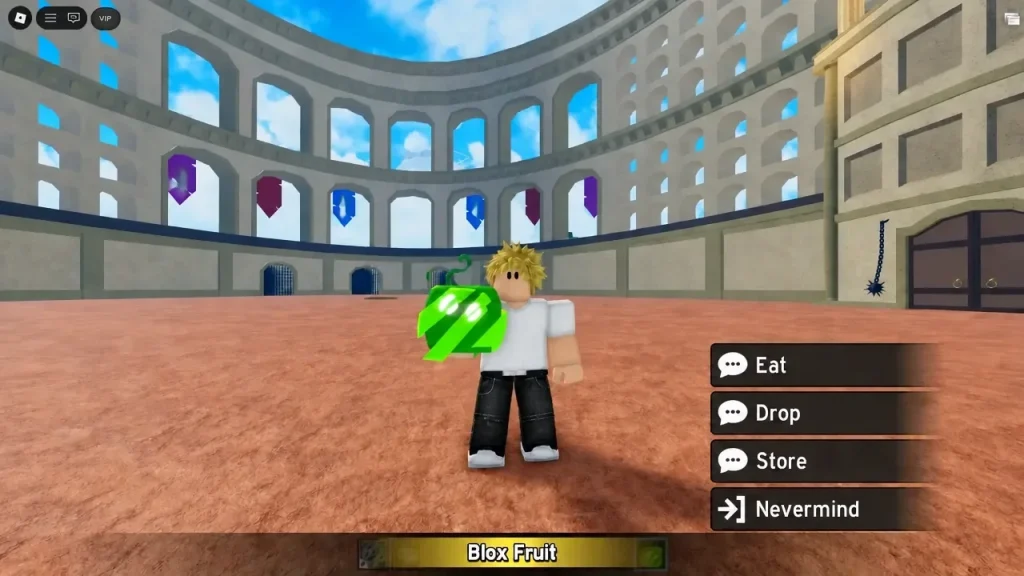
What Are Blox Fruits Scripts?
A Blox Fruits script is a small Lua program written by a third-party creator, not by the game’s developers. When it is run inside the game through a script executor, it changes how your game client behaves: it can move your character, attack enemies, accept quests, teleport between islands and track items on the map, all without you pressing the buttons yourself.
Most Blox Fruits scripts are not single-purpose tools. They are usually full menus, sometimes called hubs, that bundle dozens of toggles into one in-game window. You open the menu, switch on the features you want, and the script handles the rest while your character plays on. The best-known menus are updated after game patches, because every Blox Fruits update can change how the game works inside and break scripts that were built for the older version.
It is worth understanding what the game itself asks of you, because that explains every feature below. Blox Fruits is built around three long loops: levelling up by defeating enemies and completing quests, collecting and mastering Devil Fruits that grant powers, and earning two currencies — Beli for everyday purchases and Fragments for high-end upgrades and awakenings. On top of that sit boss fights, sea events out on the ocean, and raids that awaken your fruit’s stronger forms. Every one of those loops involves repetition, and every one of them is something a script can automate.
Features of Blox Fruits Scripts
Auto Farm. The core feature. The script finds enemies near your level, moves your character to them, attacks, and repeats — while also accepting and turning in the matching quests automatically. Good auto farm setups follow your progression across islands and seas instead of farming one spot forever, and many let you choose whether to farm levels, weapon mastery or fruit mastery.
Auto Quest. Rather than farming enemies blindly, this feature works through the quest system: it picks up the right quest for your level, completes its objectives and collects the reward, then moves on to the next one. Combined with auto farm, it is the closest thing to the game playing its own levelling path for you.
Auto Boss Farm. Bosses in Blox Fruits appear on rotations and drop useful accessories and items. A boss farming feature watches for the boss you select, travels to its spawn, fights it, and repeats the cycle. Because bosses are also contested by other players, this feature is most useful on quieter servers.
Fruit Finder and Fruit Sniper. Devil Fruits spawn randomly around the world, and rare ones are valuable. Finder features scan the map and mark fruit locations on screen, while sniper-style features move your character to a freshly spawned fruit quickly. Some menus also track which fruits you have stored and warn you about duplicates.
Auto Raid. Raids are instanced challenges that awaken your fruit, and they involve puzzles and timed fights. Raid automation joins raids, works through the required steps and fights the boss, which saves a lot of repeated effort for players awakening multiple fruits.
Auto Stats. When you level up you earn stat points to distribute between melee, defence, sword, gun and fruit power. Auto stats spends those points according to a preset you choose, so your build stays on track without you opening the stats menu after every level.
Auto Chest Farm. Chests scattered across the islands contain Beli. A chest farming feature routes your character between chest spawns and collects them, which is a simple way to build up money while other features are off.
Teleport and ESP. Teleport options jump you to any island, NPC or boss instead of sailing there. ESP draws markers over enemies, players, fruits and other points of interest through walls, which is mainly used to find bosses and fruits faster.
Fast Attack and Skill Use. Some scripts speed up attack timing or use your equipped fighting style, sword or fruit skills automatically during combat. These are the features most likely to look unnatural to other players and to detection systems, so they deserve extra caution.
How to Use Blox Fruits Scripts
The general process is the same for most scripts, whatever executor you use:
- Get a working script executor for your device and make sure it is updated for the current Roblox version. The executor posts on this site, such as Delta Executor, Xeno Executor and Wave Executor, explain the setup for each tool.
- Open Roblox and join Blox Fruits. Wait until your character has fully loaded into the world before doing anything else.
- Open your executor and attach it to the game client, then paste the script into the executor’s editor.
- Run the script. Its menu should appear inside the game. Take a moment to read the menu before switching anything on.
- Switch on one feature at a time. Start with auto farm on a low-traffic server and watch how your character behaves for a few minutes before adding more features.
- When you are done, switch the features off before leaving the game. Leaving automation running while you are away from the keyboard is when most problems happen.
Key requirements vary by script. Some scripts run immediately with no key step, while others ask you to complete a key process on a third-party page first. Never enter your Roblox password anywhere during a key process — no genuine script needs it. If a page asks for your password, your account details or a payment for a supposedly free script, leave that page.
Safety Notes — Read Before You Run Anything
Using scripts violates Roblox’s Terms of Service. That is not a grey area: automation, exploits and cheats are against the rules, and accounts caught using them can receive warnings, temporary bans or permanent bans. No script, hub or executor can honestly promise to be undetectable or ban-proof, and any page that does promise that is trying to sell you something.
A few practical precautions reduce, but never remove, the risk. Test scripts on an alternate account you can afford to lose, not on a main account with years of progress. Avoid aggressive features such as fast attack and auto player targeting in public servers, where other players are most likely to report you. Keep both your executor and your scripts updated after every Blox Fruits patch, because outdated scripts are the ones most likely to crash or behave strangely. And treat every script source with suspicion: scripts are code written by strangers, and a malicious script can do more than get you banned — it can try to steal session data. Only use scripts from sources with a long, public track record, and never run a script you have not at least skimmed for anything that looks out of place.
There is also a gameplay cost worth thinking about. Blox Fruits is a game about progression, and automating all of it can hollow out the reason you were playing. Many players find that a script is most enjoyable when it handles one boring loop — say, chest farming or fruit mastery — while they still play the parts they actually like by hand.
Common Problems & Fixes
The script menu does not appear after running it. The most common cause is an outdated executor or a script built for an older game version. Update your executor first, then try a script version that matches the current game update. If nothing works, wait for the script’s creator to update it — this happens after almost every major patch.
Your character stands still or runs into a wall. This usually means the script’s farming logic does not match your current island or level range. Open the menu, check that the selected farming area matches where your character actually is, and reset the feature. Moving your character to the right island manually before switching auto farm back on fixes most cases.
The game crashes when a feature is switched on. Turn features on one at a time to find the one causing the crash, then leave that one off. Fast attack and heavy ESP features are the usual suspects, especially on lower-end devices.
You get disconnected often while farming. Long automated sessions on busy servers draw attention and strain the connection. Try a quieter server, shorten your sessions, and avoid running several heavy features at once.
Frequently Asked Questions
Q: Do Blox Fruits scripts work on mobile?
A: It depends on the executor, not the script. If your executor runs on your device and supports the script, the script’s menu works the same way. Mobile executors are covered in posts such as Delta Executor and Arceus X Executor.
Q: Do I need a key to use Blox Fruits scripts?
A: It varies by script. Some scripts are keyless and run immediately, while others require a key step through a third-party page. The key step is never a reason to hand over your Roblox password or pay for a free script.
Q: Will a Blox Fruits script get my account banned?
A: It can. Scripts break Roblox’s rules, and detection can lead to warnings or bans. No script is ban-proof. Using an alternate account and avoiding aggressive features lowers the risk but never removes it.
Q: Why did my script stop working after an update?
A: Blox Fruits updates change the game’s internals, and scripts built for the old version stop matching. This is normal and happens after most updates. The fix is an updated script version from its creator, not a setting on your side.
Q: Can scripts give me any fruit I want?
A: No. Scripts can help you find and collect fruits that spawn in the world, and manage the ones you have stored, but they cannot conjure a specific rare fruit out of nothing. Any page promising a guaranteed rare fruit is misleading you.
Q: Is auto farm the same as auto quest?
A: They are related but different. Auto farm fights enemies for experience and drops, while auto quest works through the quest system — accepting quests, completing their objectives and collecting rewards. Most menus offer both, and they work best switched on together.
Final Verdict
Blox Fruits scripts are popular for a simple reason: they remove the most repetitive hours from one of Roblox’s longest grinds. Auto farm, auto quest, boss farming and fruit finding together cover nearly everything the game asks you to repeat, and a well-maintained menu can carry a character through seas of progression with very little manual input. But that convenience comes with real trade-offs — ban risk that no one can promise away, scripts that break on every update, and a game that can feel empty once everything is automated. Used carefully, on an alternate account, with one or two features rather than everything switched on at once, a Blox Fruits script is a useful tool. Used carelessly, it is the fastest way to lose an account you cared about. If you want to explore script execution itself first, start with the All Executors page and pick an executor that fits your device.