

Introduction
Fisch turned a simple idea — go fishing — into one of Roblox’s most absorbing grind games. You cast a line, fight a small minigame to reel the catch in, sell what you caught, and spend the earnings on better rods, bait and boats so you can chase rarer fish in harder waters. It is relaxing for an hour. It is repetitive for the hundredth hour. That is why Fisch scripts are so widely searched: they automate the casting loop so your collection and your wallet grow while you barely touch the keyboard.
This guide covers what Fisch scripts do, which features matter most, how they are generally used, and the risks that come with them. One important distinction first: executor scripts and AFK macros are different things. Macros repeat your key presses from outside the game, usually on Windows only, while the scripts covered here run inside the game through an executor. Both automate fishing, but they are set up differently and fail differently, so do not mix up advice written for one with the other.
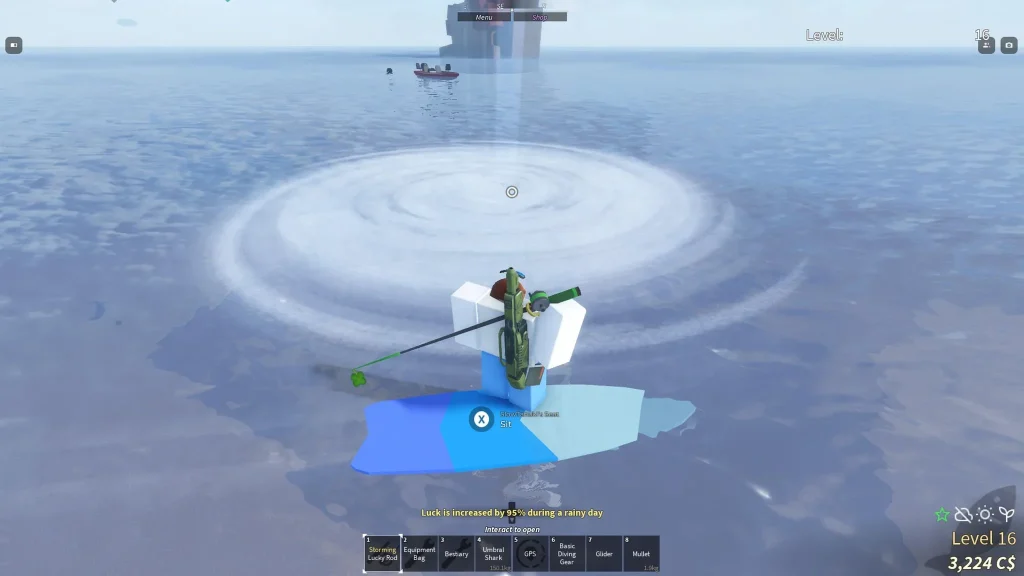
What Are Fisch Scripts?
A Fisch script is a third-party Lua program that runs inside the game through a script executor. Once running, it takes over parts of the fishing loop: casting the rod, completing the shake prompt, timing the reel, and selling the catch. Most Fisch scripts present these as toggles in a small menu, so you choose how much of the loop to automate.
To understand the features, it helps to know the loop itself. Every catch in Fisch follows the same pattern: you cast, you wait for a bite, you complete a shake action, and then you play a reeling minigame where timing decides whether the fish escapes. Between catches you manage inventory, sell fish for currency, appraise unusual catches, and occasionally enchant or upgrade your rod. A script’s job is to remove the manual parts of that pattern, one step at a time.
Fisch also has a social and collection side that scripts touch only lightly. Rare and boss fish, seasonal events, bestiaries and trading all reward patience and timing, and no script can replace the judgement of where to fish or which rod suits a given spot. The scripts automate the hands, not the decisions — and that distinction matters when you judge whether one is worth using.
Features of Fisch Scripts
Auto Fish. The headline feature. It runs the whole catch loop on its own: cast, wait, shake, reel, repeat. Some menus let you split the loop into separate toggles — auto cast, auto shake and auto reel — so you can automate only the parts you find tedious and keep playing the rest yourself.
Auto Cast. Casts the rod automatically as soon as the previous catch finishes, so there is no dead time between fish. On its own it is the mildest form of automation, since you still play the shake and reel steps by hand.
Auto Shake. The shake prompt repeats on every single catch, and it is the step players tire of first. Auto shake completes it instantly, which smooths out long sessions more than any other single toggle.
Instant Reel. Reeling is the skill-based part of the catch, and failed reels lose fish. Instant reel shortens or skips the reeling minigame, which speeds up farming considerably and removes the main source of lost catches. It is also the feature most likely to look automated to anyone watching.
Auto Sell. Inventory fills up fast during long sessions, and running back to a merchant breaks the rhythm. Auto sell clears your catch automatically, sometimes with filters so only fish below a chosen rarity are sold while rare catches are kept for appraisal or trading.
Auto Appraise. Unusual catches can be appraised for mutations and value. Appraisal automation checks your catch and processes it without you opening menus between every fish.
Auto Enchant Rod. Some menus automate rod enchanting, applying available enchants so your gear improves without repeated trips through upgrade menus.
Teleport. Jump straight to islands, docks, merchants and fishing spots instead of sailing between them. Teleport is mostly a time saver, but it is very visible to other players, so using it in crowded areas draws attention.
ESP and Location Markers. Some scripts mark rare fish, event zones or useful spots on screen. These are helpers rather than full automation, and they are most useful during limited-time events when a rare catch appears in a specific area.
Anti-AFK. Long unattended sessions risk an idle kick. Anti-AFK features keep your session alive so a farming run is not cut short while you are away.
How to Use Fisch Scripts
The general process follows the usual executor pattern:
- Get a working script executor for your device, updated for the current Roblox version. Executor options for different devices are covered on the All Executors page.
- Open Roblox and join Fisch. Let your character load fully and stand somewhere safe to fish before you start.
- Attach your executor to the game, paste the script into the editor, and run it. Its menu should appear in game.
- Switch on one feature at a time. A sensible first run is auto cast plus auto shake, with manual reeling, so you can see that everything behaves before you hand over the whole loop.
- Set your sell filters before you switch on auto sell, so rare catches are not sold off by accident. This is the single most common regret with Fisch scripts.
- When you finish, switch the features off and check your inventory and currency before leaving, so nothing unexpected has happened while you were away.
Key requirements vary by script. Some Fisch scripts run with no key step, others ask you to complete one on a third-party page. The rule from every other script guide applies here too: never enter your Roblox password anywhere, and never pay for a script that is advertised as free.
Safety Notes — Read Before You Run Anything
Fisch scripts violate Roblox’s Terms of Service, and accounts using them can be warned or banned. There is no version of “safe” that changes that. Pages advertising a script as undetectable are making a promise they cannot keep, because detection changes with every Roblox and game update.
Fisch automation has one risk that deserves special mention: it runs continuously. A fishing loop that repeats identical actions for hours is exactly the kind of pattern automated detection looks for, and it is also obvious to other players on the same server. Shorter sessions, mixed manual play, and quieter servers all reduce exposure, but none of it makes the risk go away. As with every script on this site, an alternate account is the sensible place to test.
There is also a practical risk unique to Fisch: auto sell. A badly configured sell filter can quietly sell a rare or mutated fish you wanted to keep. No script author can undo that for you, and the game will not restore it. Check your filters twice, and consider leaving auto sell off entirely until you trust the menu.
Finally, be careful where you get the script itself. Fisch scripts are shared widely, and copies are easy to tamper with. A script from an unknown page can do more than automate fishing — it can try to capture session data. Stick to sources with a long public history, and never run a script that asks for your login details.
Common Problems & Fixes
The script runs but fish keep escaping. This usually means the reel settings do not match your rod or the fish you are targeting. Slow the reel settings down, switch instant reel off for a few catches, and check whether the problem is the script or simply a hard fish on a weak rod.
Casting stops after a few catches. Inventory is the usual culprit — a full inventory blocks new catches. Switch on auto sell with safe filters, or clear your inventory manually and restart the loop.
The menu appears but toggles do nothing. The script version may not match the current Fisch update. Update your executor, then look for a newer script version from its creator. Fisch updates break scripts often, and a version from before the latest patch is the first thing to suspect.
You are disconnected mid-session. Long automated sessions on busy servers are the classic cause. Move to a quieter server, shorten sessions, and make sure anti-AFK is actually switched on if you plan to leave the game running.
Frequently Asked Questions
Q: What is the difference between a Fisch script and a Fisch macro?
A: A script runs inside the game through an executor, while a macro repeats your key presses from outside the game, usually with separate software on Windows. They automate the same loop but are set up and detected differently, so guides written for one do not always apply to the other.
Q: Do Fisch scripts work on mobile?
A: Only if your executor works on your device. The script itself does not care about the platform — the executor does. Check the executor posts on this site for the device you actually play on.
Q: Can a Fisch script catch rare or boss fish for me?
A: It can automate the loop while you fish in the right spot with the right gear, and some menus help you target event zones, but no script guarantees a rare catch. Rarity is still decided by the game, and a script cannot change those odds.
Q: Will auto sell get rid of my rare fish?
A: It can, if the filters are set wrong. Always set rarity filters before switching auto sell on, and keep your most valuable catches out of the automatic sale pool. When in doubt, sell by hand.
Q: Why did my Fisch script stop working?
A: Almost always a game update. Fisch changes often, and scripts need updating to match. Update your executor first, then check for a newer script version from the same creator.
Q: Is using a Fisch script bannable?
A: Yes. It breaks Roblox’s rules, and detection can lead to warnings or bans. Nothing about a script being popular, keyless or labelled undetectable changes that.
Final Verdict
Fisch scripts do one job very well: they take the most repetitive loop in a relaxing game and run it for you. Auto cast, auto shake and auto sell together turn fishing into something you can leave running, and for players chasing rods, currency and collections, that convenience is hard to give up once tried. The costs are real, though — ban risk from continuous automation, scripts that break on every game update, and the genuine danger of auto sell eating a catch you wanted to keep. If you use one, do it on an alternate account, configure your sell filters first, and keep sessions short and mixed with manual play. The rest of the script guides on the Roblox Scripts page follow the same honest pattern, so compare a couple before you commit to any single menu.