
Introduction
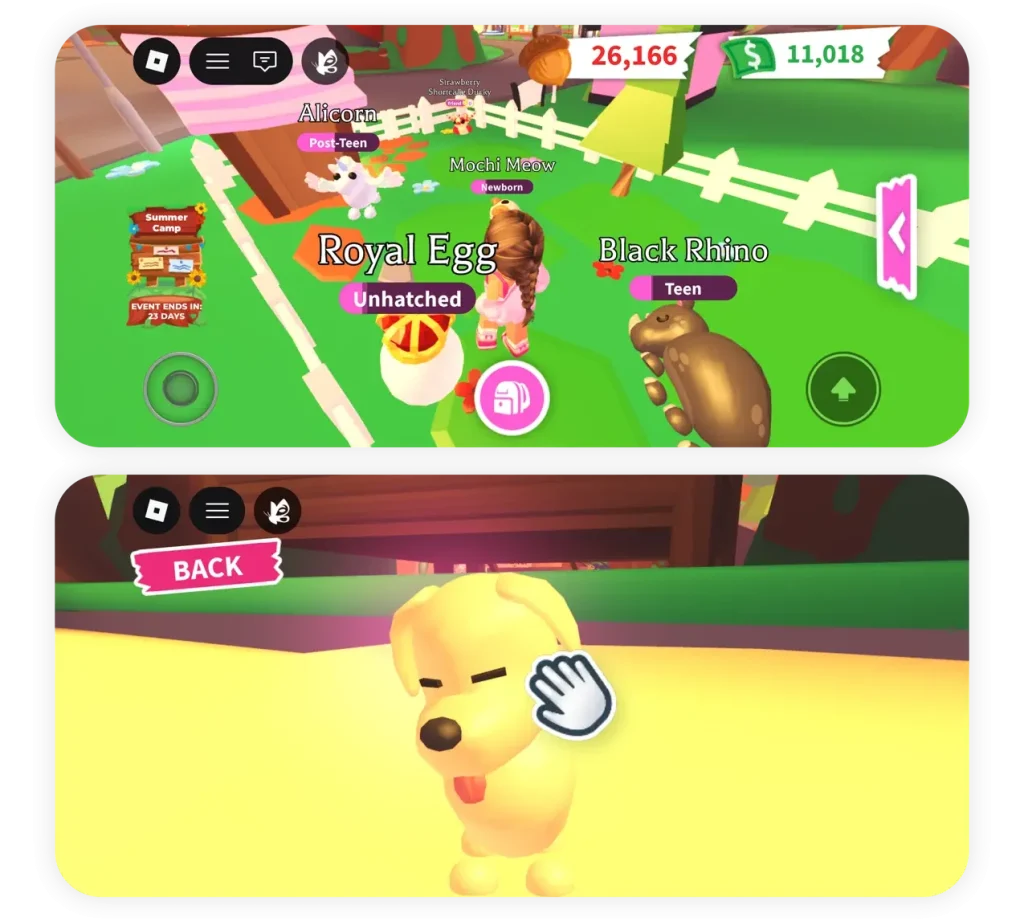
Adopt Me is Roblox’s giant pet game. You buy an egg, hatch it, and then raise the pet inside from newborn to full grown by feeding it, washing it, playing with it and taking it to school, over and over again — while earning Bucks for every need you fulfil. Then you do it again with the next egg, and the next, chasing rarer pets, neon versions and trades. It is charming, and it is one of the most repetitive loops on the platform. That combination is why Adopt Me scripts are so popular: they take over the care routine so pets grow and Bucks pile up without you repeating the same tasks all day.
This guide explains what Adopt Me scripts do, which features players actually use, how they are generally run, and the risks involved. Adopt Me has one risk that deserves emphasis up front: trading. Anything that automates trades can go wrong in ways that cost you pets, and pets in this game carry real sentimental and trading value. Read the trading notes carefully before switching any trade feature on.
What Is an Adopt Me Script?
An Adopt Me script is a third-party Lua program that runs inside the game through a script executor. Once running, it automates the care loop: it watches your pet’s needs, walks your character to the right place, and completes each task — shower, food, school, sleep, play — without you steering. Most Adopt Me scripts are full menus covering several areas of the game at once, not just farming.
The game loop explains why the menus are so broad. Every pet passes through six growth stages, from newborn to full grown, and each stage needs the same needs fulfilled repeatedly. Bucks, the main currency, come from completing those needs and from daily rewards. Eggs are bought with Bucks, pets hatch from eggs, and four full-grown copies of the same pet can be combined into a neon pet — and four neons into a mega neon. Trading ties it all together: players swap pets and items constantly, and values shift with rarity and demand. A script menu that covers farming, hatching, neon-making and trading is really just automating the whole economy of the game in one place.
Adopt Me scripts are also among the most frequently updated scripts around, because the game itself changes constantly with events, new eggs and seasonal systems. A menu that worked during one event may not understand the next one’s tasks, so keeping the script current matters more here than in most games.
Features of Adopt Me Scripts
Auto Pet Farm. The core feature. The script handles your equipped pet’s needs automatically: it feeds, washes, plays with and schools the pet, and collects the Bucks each completed need pays. Some menus let you prioritise friendship or age, and set limits on how many pets to farm before stopping.
Auto Baby Farm. The same idea, but with your character playing as a baby instead of caring for a pet. Baby farming completes needs for your own character and earns Bucks the same way, and many players run it alongside pet farming.
Auto Hatch. Buys eggs and hatches them automatically, sometimes with a chosen egg type and a stop condition such as a maximum number of pets or a target rarity. Combined with auto farm, this turns the whole egg-to-grown-pet pipeline into a loop you barely touch.
Auto Age and Age Potions. Some menus automate the use of age potions, which advance a pet’s growth stage, with filters for which pets and versions they apply to. This is a small feature with a big effect on how fast pets reach full grown.
Auto Neon and Mega Neon. Once you have four full-grown copies of a pet, a neon feature combines them into a neon version, and a mega feature repeats the process with four neons. Menus with this feature usually let you pick which pets to combine and set maximums, because combining the wrong pets is expensive to undo.
Auto Tasks and Daily Rewards. Daily rewards, star rewards and event tasks are easy to forget and valuable to collect. Automation that claims them on schedule keeps the steady income flowing without you logging in just to click a claim button.
Auto Trade. The most powerful and most dangerous feature family. Trade automation can send offers with filters — pet categories, rarities, ages, specific pets, maximum counts — accept incoming trades automatically, and leave after a trade completes. Used carefully with tight filters, it saves hours of trading chat. Used loosely, it can trade away pets you meant to keep.
Auto Gifts and Auto Buy. Gift features open selected gifts automatically, and buy features purchase eggs or items when conditions are met. Both are best used with strict selections, because automatic spending is only fun until it spends on the wrong thing.
Teleport and ESP. Teleports jump you to shops, schools, hospitals and other need locations instead of walking across the map. ESP marks players, pets or event objects on screen. These are helpers that mostly speed up the farming loop.
Event Farming. During seasonal events, menus often add event-specific tasks — collecting event currency, completing event minigames or claiming event rewards. These features age fastest, since they only make sense while the event is live.
How to Use an Adopt Me Script
The general process is the familiar executor pattern, with extra care around trading:
- Get a working script executor for your device, updated for the current Roblox version. Device options are covered on the All Executors page.
- Open Roblox and join Adopt Me. Let the game load fully, equip the pet you want to farm, and stand somewhere safe.
- Attach your executor, paste the script into the editor, and run it. Read the menu before switching anything on.
- Switch on auto pet farm first and watch a full need cycle complete. Only then add baby farm, hatching or other features one at a time.
- If you use trade features at all, set your filters before switching them on: exclude rare pets, set maximum counts, and never enable automatic acceptance of incoming trades until you understand exactly what it will accept.
- Check your pets, Bucks and inventory after every session. Automation errors are much cheaper to fix when you catch them the same day.
Key requirements vary by script. Some Adopt Me scripts run with no key step, others ask for one on a third-party page. The standing rule applies: never enter your Roblox password anywhere, and never pay for a script advertised as free.
Safety Notes — Read Before You Run Anything
Adopt Me scripts violate Roblox’s Terms of Service, and using them can lead to warnings or bans. No script is undetectable or ban-proof, whatever its page claims. Test on an alternate account, not on the account holding pets you have collected for years.
Trading deserves its own warning. Automated trading is where script users lose the most value, not through bans but through bad trades: a filter set too loosely, an auto-accept left on, a pet excluded from the wrong list. If you value a pet, keep it out of any automated system entirely — ideally by not having it equipped or in the tradeable pool while a script runs. Many experienced players never switch trade automation on at all, and treat farming automation as the whole point instead.
Script safety matters too. Adopt Me scripts are among the most copied and reposted scripts anywhere, which makes tampered copies common. A script from an untrusted page can do more than farm pets — it can attempt to capture session data. Use sources with a long public history, and never run a script that asks for your login details, your cookies, or access to anything outside the game.
Finally, remember that Adopt Me updates constantly. Event features go stale the moment an event ends, and a menu built for one update may misbehave on the next. If a feature starts acting strangely after a game update, switch it off and wait for a script update rather than letting it run unsupervised.
Common Problems & Fixes
Your pet’s needs are not completing. The script may not recognise the current need locations after a map or event change. Move your character to the right location manually once, restart the feature, and check that the pet you want farmed is actually equipped.
Bucks are not increasing. Needs may be completing without the reward registering, or the script may be stuck between tasks. Watch one full cycle: if the need bar fills but no reward appears, the script version likely does not match the current game update.
Eggs are being bought that you did not want. Auto buy and auto hatch filters are the cause. Switch both off, set the exact egg type and stop conditions, and test with a small number before letting it run freely.
A trade went through that you did not want. Stop all trade automation immediately and review your filters. Unfortunately, completed trades cannot be undone by any script or support page, which is why trade features should always start with the tightest possible filters — or stay off.
The menu loads but features do nothing after an update. This is the normal post-update breakage pattern. Update your executor, then wait for a script update from its creator before assuming anything is wrong on your side.
Frequently Asked Questions
Q: Can an Adopt Me script make neon pets automatically?
A: Yes, many menus include neon and mega neon features that combine full-grown copies of a pet. Set which pets they may combine and what the maximums are first — combining the wrong pets is costly and cannot be undone.
Q: Is auto trading safe?
A: No form of automated trading is safe in the sense of risk-free. Tight filters reduce the danger, but a bad filter or an auto-accept left on can trade away pets you wanted to keep. Many players skip trade automation entirely and only automate farming.
Q: Do Adopt Me scripts work on mobile?
A: It depends on the executor, not the script. If your executor runs on your device and supports the script, the menu works. Check the executor posts on this site for your device.
Q: Why does my script break every event?
A: Adopt Me changes with every event — new tasks, new locations, new systems. Event features are built for one event at a time, so they go stale fast. General farming features survive longer than event-specific ones.
Q: Do I need a key for Adopt Me scripts?
A: It varies by script. Some are keyless, others ask for a key step on a third-party page. Never enter your Roblox password during any key process.
Q: Can scripts get my Adopt Me account banned?
A: Yes. Scripts break Roblox’s rules, and detection can lead to warnings or bans. Testing on an alternate account is the only meaningful protection for pets you care about.
Final Verdict
Adopt Me scripts are the most complete automation menus in this batch, because the game itself is one long care loop with trading, hatching and neon-making layered on top. Auto pet farm and auto hatch together remove nearly all of the repetition, and for players chasing full-grown pets and neon collections, that is a genuine time saver. But Adopt Me is also where careless automation costs the most: a bad trade filter can lose a pet you spent months raising, and no script author can reverse it. The sensible way to use one is narrow — farm and hatch on an alternate account, keep trade automation off unless you truly understand its filters, and check your pets after every session. Browse the other guides on the Roblox Scripts page before choosing a menu, and keep the executor posts on the All Executors page in mind when picking the tool that will run it.